4.10 What are the different sorting options in the FS document?
Sorting rows within tables
Right click on any cell within a table and select Sort Table Rows to move individual rows up or down within the table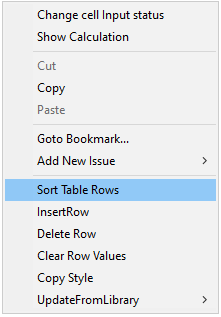
Sorting sections
Entire sections in the financial statements may be sorted manually by selecting from the command menu 'Tools/sort'.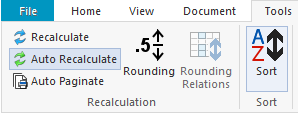
Then selecting the relevant sort group and the sort order.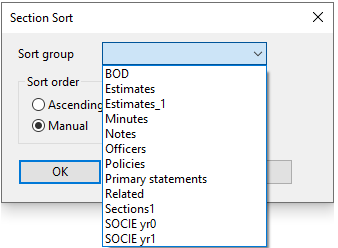
This sorting option applies to subsections within the following sections of the financial statements:Area
Sort Group
Board of directors and other officers
Officers
Management report
BOD
Primary statements
Primary statements
Statement of shanges in equity - prior year
SOCIE yr1
Statement of changes in equity - current year
SOCIE yr0
Notes to the financial statements
Notes
Accounting policies
Policies
Critical accounting estimates, judgments and assumptions note
- Critical accounting estimates and assumptionsEstimates
Critical accounting estimates, judgments and assumptions note
- Critical judgements in applying the Company's accounting policiesEstimates_1
Related party transactions note
Related
Additional inforamation - Capital allowances and computations sections
Sections1
Minutes of the AGM
Minutes